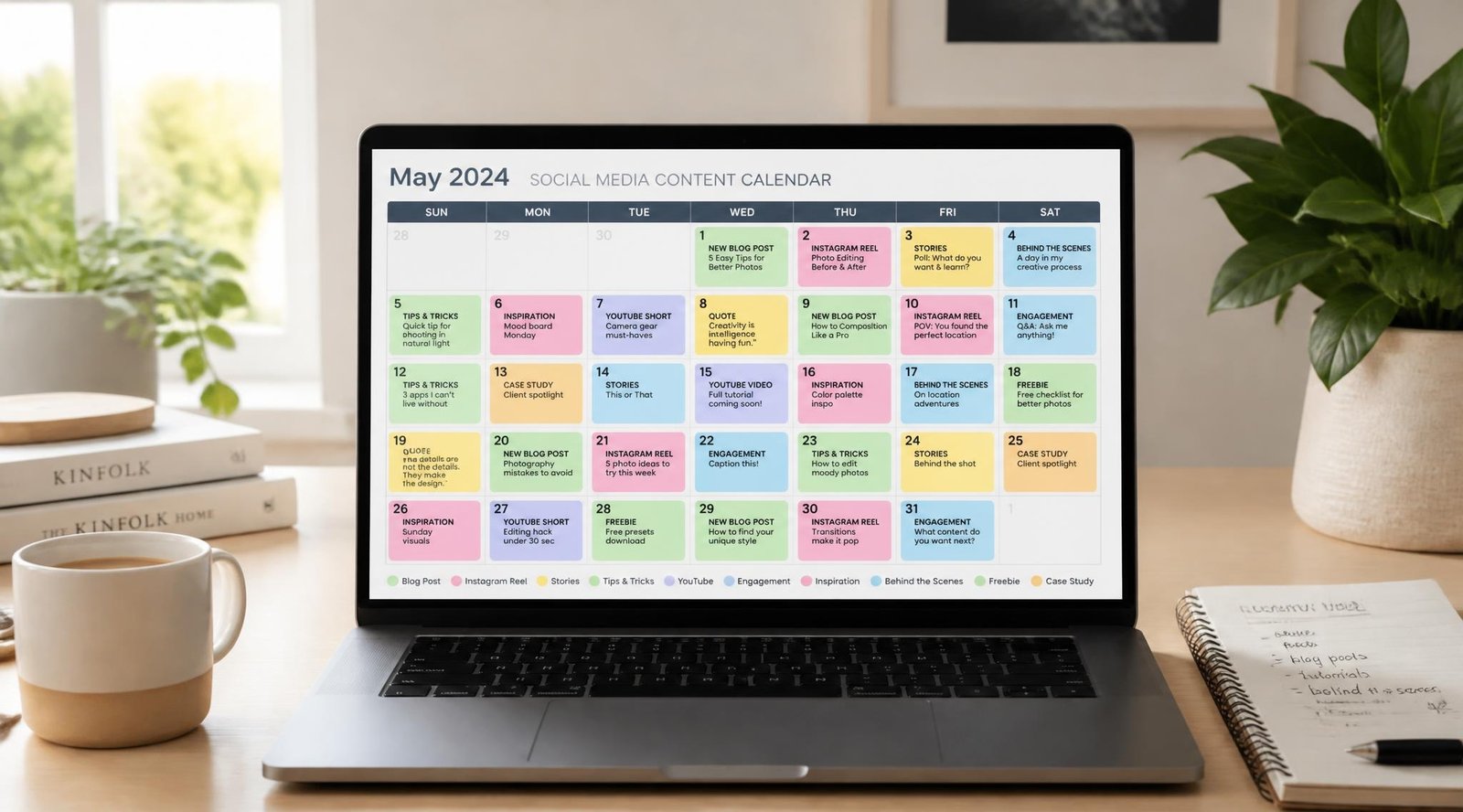
It is 9 p.m. and you are still logged into three different apps, trying to remember whether you posted on Instagram today. Tomorrow you will do it all again. If you run a small business, this is the daily cost of managing social media by hand: lost evenings, uneven posting, and content that goes out whenever you happen to find the time.
The best social media scheduling tools fix that by letting you plan, write, and queue posts in one sitting, then publish them automatically. Consistency is the main reason this matters. Audiences and algorithms both reward brands that show up regularly, and a scheduler is the simplest way to do that without living on your phone.
The problem is choice. Dozens of platforms promise to “save hours,” and the differences between them are real. In this guide you will see how scheduling software works, how to choose one, and how four leading options compare. Pair it with our complete digital marketing guide for small businesses and our walkthrough on building a content marketing strategy that generates leads so your scheduled posts support a bigger plan.
Quick Answer
The best social media scheduling tool depends on how you work. Solo owners who want simplicity do well with Buffer. Visual brands that live on Instagram and TikTok get the most from Later. Businesses that want scheduling and analytics on a tight budget should look at Metricool. Teams that need approvals and several people publishing should consider Hootsuite. Whichever you pick, choose the tool that supports your platforms and your workflow, because a scheduler only saves time if you actually use it every week.

Table of Contents
- What Are Social Media Scheduling Tools and How Do They Work?
- How to Choose the Right Social Media Scheduler
- Best Social Media Scheduling Tools Available
- Comparison Table
- Best Social Media Scheduling Tools for Different Business Types
- How to Set Up Your Scheduler Correctly
- Common Mistakes
- Expert Tips
- Final Verdict
- Frequently Asked Questions
What Are Social Media Scheduling Tools and How Do They Work?
Social media scheduling tools are apps that let you write posts ahead of time and publish them automatically at set times. You connect your accounts, create a post with text, images, or video, pick a date and time, and the tool sends it to each network for you. Most also include a visual calendar, so you can see your whole month at a glance.
A basic scheduler covers three jobs. It queues content, so posts go out without you being online. It organizes your calendar, so gaps and overlaps are obvious. It reports results, so you can see which posts earned attention. More advanced social media scheduling software adds team approvals, a shared inbox for comments and messages, link-in-bio pages, and AI writing help.
Why does this matter for revenue? Regular posting keeps your brand visible between sales conversations, and visible brands are easier to trust. Scheduling also separates two tasks that people often mix up: creating content and publishing it. Batch your creative work once a week, then let the tool handle delivery.
One limit is worth knowing. A scheduler cannot replace real engagement. You still need to reply to comments and messages quickly. Think of scheduling as the foundation and community management as the part only you can do. If you also use email to nurture followers, see our email marketing guide for small businesses for how the two channels work together.
How to Choose the Right Social Media Scheduler
Before comparing features, answer three simple questions.
1. Which platforms do you actually post on? Make sure the tool publishes natively to your main networks. Support for Instagram, Facebook, LinkedIn, TikTok, X, Pinterest, and YouTube varies, and some features, such as direct publishing of certain Instagram formats, depend on each network’s rules.
2. Who will use it? A solo owner needs speed. A team needs roles, approvals, and a way to avoid posting the same thing twice.
3. What is your real budget? Free plans exist for several of these tools, but limits on accounts and scheduled posts change often. Always confirm current pricing on the vendor’s own site before you commit.
It also helps to remember that platforms follow their own rules on advertising and sponsored content. If you work with influencers or post promotions, review the U.S. Federal Trade Commission’s advertising and marketing guidance so your scheduled posts stay compliant.
Best Social Media Scheduling Tools Available
Below are four widely used options, each strong in a different situation. Features and plans change frequently, so treat this as a starting point and check each vendor’s current details.
Buffer
Overview: Buffer is known for being clean and easy to learn. You can connect your channels, write a post, and schedule it within minutes, which makes it a popular first scheduler for small businesses. It focuses on the essentials rather than overwhelming you with options.
Key Features:
- Simple publishing queue and visual calendar
- Support for the major social networks
- Basic analytics and post-performance reports
- AI-assisted writing and idea tools
- Easy browser and mobile use
Best For: Solo owners, freelancers, and small teams that want a no-fuss scheduler.
Pros: ✅ Very easy to learn ✅ Clean, distraction-free interface ✅ Good value for simple needs
Cons: ❌ Fewer advanced features than enterprise tools ❌ Deeper reporting may need a higher plan
Our Verdict: If your main goal is to stop posting by hand and build a steady routine, Buffer is the safest starting point. It will not overwhelm you, and you can grow into it. Pair it with a written plan from our content marketing strategy guide.
Later
Overview: Later started with Instagram and still shines for visual planning. Its drag-and-drop calendar lets you see how your grid and stories will look before anything goes live. It is a strong fit for brands whose content is mostly photos and short video.
Key Features:
- Visual drag-and-drop content calendar
- Media library for organizing photos and video
- Link-in-bio tool for driving traffic
- Hashtag and best-time suggestions
- Support for short-video platforms
Best For: Retail, beauty, food, travel, and creator brands.
Pros: ✅ Excellent visual planning ✅ Built-in link-in-bio page ✅ Friendly for non-designers
Cons: ❌ Less suited to text-heavy B2B channels ❌ Some features sit behind paid tiers
Our Verdict: Choose Later if your audience discovers you through images and video. Send that link-in-bio traffic to a page built using our guide to landing pages that convert visitors into leads.
Hootsuite
Overview: Hootsuite is one of the longest-running names in the category and is built for scale. It handles many accounts, team roles, approval workflows, and a unified inbox, so it suits organizations where several people touch the same social profiles.
Key Features:
- Multi-account and multi-user management
- Approval workflows and permissions
- Unified inbox for messages and comments
- Detailed analytics and reporting
- Broad network and integration support
Best For: Agencies, growing teams, and businesses with strict approval processes.
Pros: ✅ Strong team and approval tools ✅ Deep reporting options ✅ Handles many profiles
Cons: ❌ Usually costs more than simpler tools ❌ Can feel heavy for a solo owner
Our Verdict: Hootsuite earns its price when collaboration is the problem. If you are a one-person shop, you will probably use only a fraction of it. Avoid the traps in our list of 25 digital marketing mistakes by choosing based on need, not brand fame.
Metricool
Overview: Metricool blends scheduling with analytics in one dashboard, and it tends to appeal to cost-conscious businesses. You can plan content, track performance across channels, and even monitor ad results, all without paying enterprise prices.
Key Features:
- Scheduling across major social networks
- Combined analytics and competitor tracking
- Ad performance reporting
- Calendar view and content planner
- Reports you can export for clients or managers
Best For: Small businesses and freelancers who want data and scheduling together.
Pros: ✅ Strong analytics for the price ✅ Useful reporting for clients ✅ Handles organic and paid insights
Cons: ❌ Interface can feel busy at first ❌ Fewer team-collaboration extras than larger platforms
Our Verdict: Metricool is a smart pick if you want to prove what your posts achieve. Use its reports to decide where to put your effort, then connect results to your wider plan with our Google tools roundup.

Comparison Table
| Tool | Best For | Standout Strength | Team Features | Learning Curve |
|---|---|---|---|---|
| Buffer | Solo owners, simple routines | Ease of use | Basic | Very easy |
| Later | Visual and video brands | Drag-and-drop planning | Moderate | Easy |
| Hootsuite | Teams and agencies | Approvals and inbox | Advanced | Moderate |
| Metricool | Budget-minded, data-driven users | Analytics plus scheduling | Moderate | Moderate |
Feature levels are general summaries. Confirm current plans and limits with each vendor.
Best Social Media Scheduling Tools for Different Business Types
Solo Owners and Freelancers
You have limited time and no one to hand work to. Prioritize speed and a short learning curve. Buffer is a natural fit, and Metricool works if you want reporting you can show clients. Set up one weekly batching session and keep your accounts to the two or three platforms where your customers actually are. If you also sell services online, make sure your site is ready for the traffic by reviewing our best website builders for small business and the guide to best invoicing software for small business.
Local Service Businesses and Shops
Restaurants, salons, clinics, and retailers rely on visuals, offers, and timing. Later’s visual calendar helps you plan around promotions and seasons. Local posts also work best when they connect to your search presence, so pair your schedule with our local SEO guide for getting customers from Google Maps. Schedule event reminders, behind-the-scenes content, and customer features, and reply to local comments the same day.
Small Teams and Agencies
When several people create and approve content, mistakes get expensive. Hootsuite’s roles and approval steps reduce the risk of a wrong post going live. Set clear ownership for each account, document your approval flow, and keep a shared content calendar. Teams also need project tracking behind the scenes, and our best project management software for small businesses is a good companion read. If you would rather hand the whole job over, our social media marketing services can help.

How to Set Up Your Social Media Scheduler Correctly
A good tool still fails without a good routine. Follow these five steps.
Step 1: Prepare
Decide your goal first, such as leads, bookings, or brand awareness. Choose two or three core content themes and a realistic posting frequency. A schedule you can maintain beats an ambitious one you abandon in a month.
Step 2: Connect Your Accounts
Link only the profiles you actively use. Use business accounts where the network requires them for scheduling, and set permissions so only the right people can publish.
Step 3: Build Your Content Calendar
Schedule one to two weeks at a time to start. Mix educational posts, social proof, behind-the-scenes content, and clear calls to action. Write captions that fit each platform rather than pasting the same text everywhere.
Step 4: Test Posting Times
Use your tool’s timing suggestions as a starting point, then check your own results. Your audience’s habits matter more than generic advice, and one month of data will tell you more than any chart.
Step 5: Review and Improve
Once a week, check which posts earned clicks, replies, or sales inquiries. Keep what works, drop what does not, and send the strongest traffic to a page that converts. Our on-page SEO checklist helps make sure those destination pages are ready.
Common Mistakes
Set-and-forget posting. Scheduling does not replace engagement. If comments sit unanswered for days, the algorithm and your audience both notice. Check in daily for a few minutes. See the engagement traps in our digital marketing mistakes guide.
Posting identical content everywhere. Each platform has its own format, tone, and audience expectations. Adapt your captions, image sizes, and calls to action instead of copying and pasting.
Scheduling without a strategy. Filling a calendar with random posts is not marketing. Start from goals and customer questions, then build content around them, as covered in our content marketing strategy guide.
Expert Tips
Batch by theme, not by day. Create all your tutorials in one session, all your customer stories in another. Your thinking stays focused, and the output is faster and more consistent.
Keep a reserve of evergreen posts. Hold five to ten timeless posts in your queue for busy weeks. They protect your consistency when real life gets in the way.
Use AI as an assistant, not an author. AI writing features can speed up first drafts, but your voice and facts should be yours. Learn how to use these tools well in our guides on the 4 AI skills to learn and making money with AI.

Final Verdict
There is no single winner among social media scheduling tools, only the best match for your situation. Best overall for beginners: Buffer. Best for visual brands: Later. Best for teams: Hootsuite. Best budget option with analytics: Metricool. Larger organizations that need premium reporting and a full social inbox may also look at enterprise-level platforms such as Sprout Social.
Start with a free trial or free plan where one is available, test it for two weeks, and keep it only if it truly saves you time. Then connect your social presence to the rest of your growth system. Revisit our complete digital marketing guide, learn why SEO is evolving into SEO plus AEO, and see how Claude prompts can help plan a 12-month SEO strategy.
Frequently Asked Questions
Do I need a social media scheduling tool? Not strictly, but most small businesses benefit. A scheduler saves time, keeps your posting consistent, and lets you plan campaigns ahead. If you post only occasionally on one platform, native scheduling inside the app may be enough.
Are there free social media scheduling tools? Yes. Several tools offer free plans, usually with limits on connected accounts or scheduled posts. These limits change often, so check the vendor’s current plan details before you build a workflow around one.
How far ahead should I schedule posts? One to two weeks is a good starting point. It keeps content fresh and lets you react to news, customer questions, or sales. Avoid scheduling months ahead unless the content is truly evergreen.
What is the best time to post? It depends on your audience. Use your tool’s timing suggestions as a starting point, then review your own analytics for a month. Your followers’ real behavior is more reliable than general rules.
Can scheduled posts hurt my reach? No. Scheduled posts published through supported connections are generally treated like any other post. What hurts reach is low-quality content and ignoring comments, not the act of scheduling.
Buffer vs Hootsuite: which is better? Buffer is simpler and better for solo owners or small teams. Hootsuite offers more advanced team workflows, approvals, and reporting, which suits larger teams. Choose based on how many people need access and how much control you need.
Why did my scheduled post fail to publish? Common causes include an expired account connection, a network change, or unsupported media formats. Reconnect the account, check file size and format, and review the tool’s help documents. Check your queue regularly rather than assuming everything went out.
Is it safe to connect my accounts to a scheduler? Reputable tools use the networks’ official connections, so you never share your password. Use strong passwords, turn on two-factor authentication, and limit team permissions to what each person needs.
Author: DigiM_Admin Last Updated: October 2026