
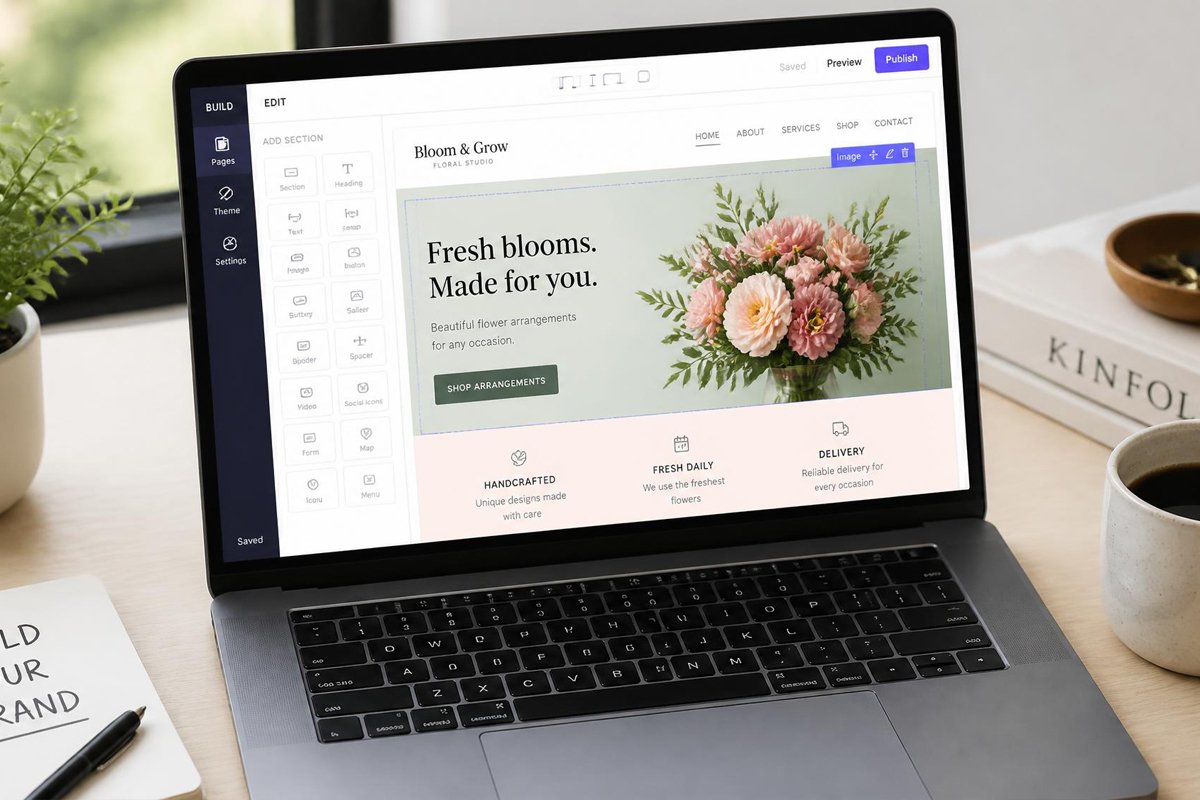
If you’ve ever typed “best website builders for small business” into Google at 11 p.m., trying to launch before a deadline you set for yourself, you already know the problem: there are dozens of platforms, all claiming to be “the easiest,” and picking wrong can cost you months of rebuilding later.
Most small business owners don’t fail at building a website because they lack taste or technical skill. They fail because they pick a platform that doesn’t match their actual needs — an ecommerce store forced onto a blogging tool, or a service business drowning in features it will never use. The right builder should disappear into the background and let your content marketing strategy and SEO do the heavy lifting.
This guide breaks down the best website builders for small business in 2026, how to choose between them, and how to avoid the mistakes that quietly tank a new site’s search visibility before it even gets a chance.
Quick Answer
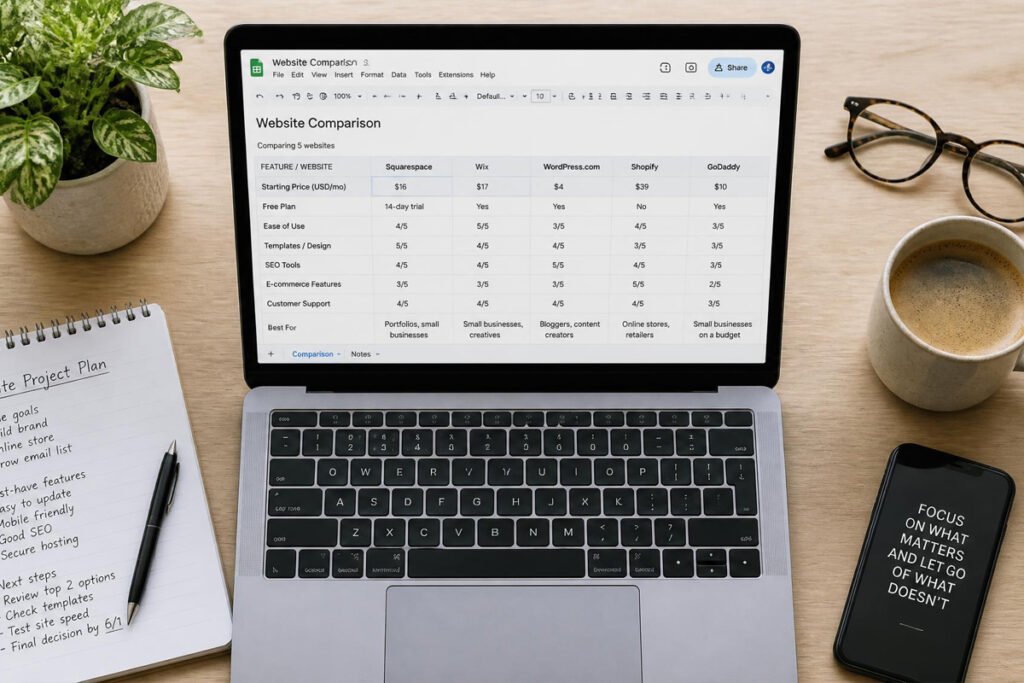
The best website builder for small business depends on what you’re building. A service business that wants to look polished fast should lean toward Wix or Squarespace. A business selling products online needs Shopify. A business on a tight budget that still wants a fast, clean site should look at Hostinger Website Builder. And a business planning to publish a lot of content — guides, blog posts, resources — is usually better served long-term by WordPress. There’s no single “best” platform; there’s a best fit for your business model, budget, and how much content you plan to publish.
Table of Contents
- What Is a Website Builder and How Does It Work?
- How to Choose the Right Website Builder for Your Business
- Best Website Builders for Small Business in 2026
- Comparison Table
- Best Website Builders for Different Business Types
- How to Set Up Your Small Business Website Correctly
- Common Mistakes
- Expert Tips
- Final Thoughts
- Frequently Asked Questions
What Is a Website Builder and How Does It Work?
A website builder is a platform that lets you design, publish, and manage a website without writing code from scratch. Most modern builders use a drag-and-drop editor: you place text blocks, images, buttons, and forms directly onto the page and see the result in real time.
Behind the scenes, a website builder typically handles hosting, security certificates, and basic performance optimization for you — which is a major reason small businesses choose one over a custom-built site. The trade-off is flexibility: builders trade some customization for speed and simplicity.
There are two broad categories worth understanding before you pick a website builder for small business:
- Hosted, all-in-one builders (Wix, Squarespace, Shopify, Hostinger Website Builder) bundle hosting, design, and maintenance into one subscription.
- Self-hosted platforms (WordPress.org) give you full control over code, plugins, and hosting, but require more setup and ongoing maintenance.
Both approaches can produce a fast, well-ranking site — the right choice comes down to how much control you want versus how much time you’re willing to spend on upkeep.
How to Choose the Right Website Builder for Your Business
Before comparing specific platforms, ask yourself three questions:
1. What is my website’s primary job? A site that exists to sell products needs strong ecommerce and payment features. A site that exists to generate leads needs strong forms, calendars, and landing page tools. A site that exists to publish content needs a builder with strong blogging and SEO controls.
2. How much will I need to scale? Some builders are excellent for a five-page site but become clunky once you’re managing hundreds of blog posts or thousands of products. Think about where your business will be in two years, not just next month.
3. How much time can I realistically spend on maintenance? Hosted builders handle updates and security automatically. Self-hosted platforms like WordPress give you more control but put update management, backups, and security patching on your plate — or your developer’s.
Website accessibility is also worth building into your decision from day one rather than retrofitting later; the U.S. Department of Justice provides useful guidance on web accessibility requirements that’s worth a quick read before you commit to a platform.
Best Website Builders for Small Business in 2026
Wix
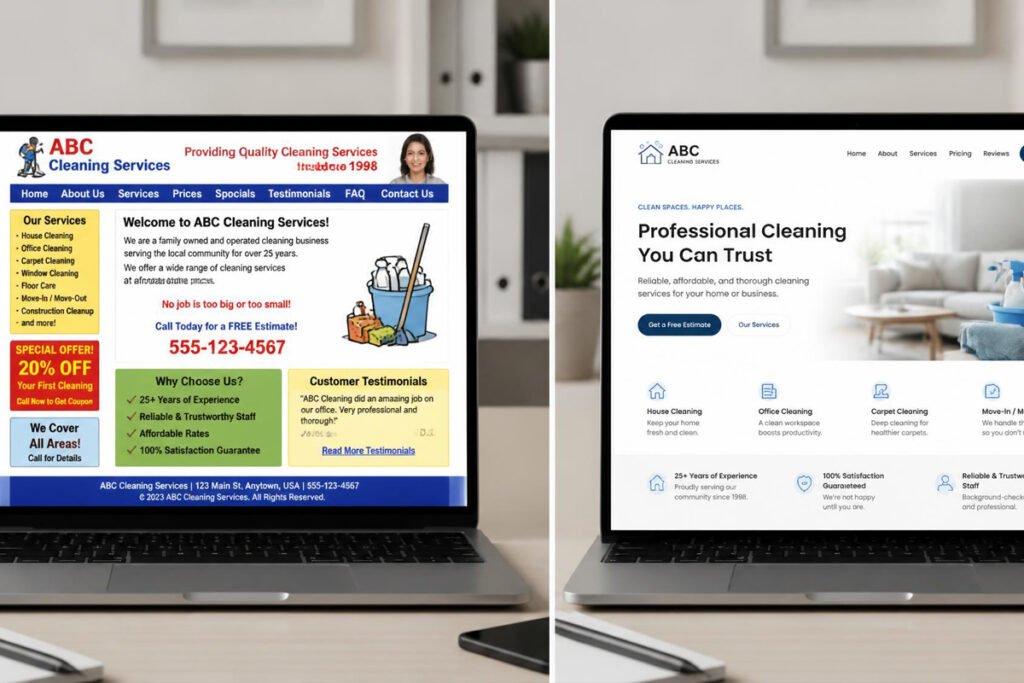
Overview: Wix remains one of the most popular all-in-one website builders for small businesses, and for good reason. Its drag-and-drop editor is genuinely beginner-friendly, its template library is huge, and its built-in AI tools can generate a starting layout from a short description of your business. Wix also bundles SEO tools, a decent app marketplace, and basic ecommerce.
Key Features:
- AI-assisted site generation from a business description
- Large designer-made template library
- Built-in SEO tools and app marketplace
- Basic to mid-tier ecommerce support
- Free plan available, paid plans typically starting in the mid-teens per month
Best For: Service businesses, local businesses, and first-time website owners who want a polished result fast.
Pros: ✅ Very easy for non-technical users ✅ Strong design flexibility for a hosted builder ✅ Built-in AI tools speed up setup
Cons: ❌ Can get expensive once you add apps and premium features ❌ Switching away from Wix later (migrating your design) is harder than with WordPress
Our Verdict: Wix is the safest all-around pick if you want something that looks professional without a steep learning curve. Pair it with a solid on-page SEO checklist from day one so you’re not retrofitting SEO after launch.
Hostinger Website Builder
Overview: Hostinger has built a strong reputation as the budget-friendly option that doesn’t feel budget. Its AI website builder generates a working site from a short prompt, and pricing is aggressive compared to Wix or Squarespace, making it a strong pick for businesses watching every dollar in year one.
Key Features:
- Very low entry pricing, often the cheapest of the major builders
- AI-generated starter sites
- Built-in hosting optimized for speed
- Simple, streamlined editor (less flexible than Wix, but faster to learn)
Best For: New businesses, solopreneurs, and anyone prioritizing cost and page speed over deep customization.
Pros: ✅ Excellent value for money ✅ Fast-loading sites out of the box ✅ Simple learning curve
Cons: ❌ Fewer design and app options than Wix or Squarespace ❌ Less suited to businesses planning heavy content publishing
Our Verdict: If budget is the deciding factor and you need a clean, fast site without a lot of bells and whistles, Hostinger is hard to beat. It’s a smart starting point that many businesses upgrade from later as needs grow.
Shopify
Overview: Shopify is purpose-built for selling products online, and it shows. Everything from inventory management to payment processing to shipping integrations is designed around running a store, not just displaying a website.
Key Features:
- Full ecommerce suite: inventory, payments, shipping, tax handling
- Large app ecosystem for marketing, reviews, and fulfillment
- Multi-channel selling (web, social, in-person)
- Strong checkout conversion optimization built in
Best For: Any small business selling physical or digital products online.
Pros: ✅ Best-in-class ecommerce feature set ✅ Scales well from a handful of products to thousands ✅ Strong integrations with social selling and marketplaces
Cons: ❌ Overkill and unnecessarily expensive for a non-ecommerce business ❌ Transaction fees can add up unless you use Shopify’s own payment processor
Our Verdict: If your website’s main job is selling products, this isn’t a close call — Shopify is worth the higher price point. For everything else, look elsewhere on this list.
Squarespace
Overview: Squarespace has built its brand around design quality. Its templates are polished, its typography options are strong, and it’s a favorite among creative and service-based businesses that want their site to look like it was built by a design agency.
Key Features:
- Award-winning, design-forward templates
- Strong built-in blogging and portfolio tools
- Integrated scheduling and basic ecommerce
- Clean, minimal editor experience
Best For: Creative professionals, consultants, photographers, and service businesses where visual presentation drives trust and conversions.
Pros: ✅ Best-in-class design quality out of the box ✅ Strong portfolio and visual content tools ✅ Clean, distraction-free editing experience
Cons: ❌ Less flexible than Wix for unconventional layouts ❌ Ecommerce features lag behind Shopify for serious online stores
Our Verdict: If your website needs to look premium with minimal design effort, Squarespace consistently delivers. It’s a strong pick for brand-conscious small businesses.
WordPress
Overview: WordPress powers a large share of the web, and for good reason: it offers unmatched flexibility, a massive plugin ecosystem, and the strongest long-term foundation for businesses that plan to publish a lot of content. It comes in two flavors — the hosted WordPress.com and the fully self-hosted WordPress.org — with the self-hosted version offering the most control.
Key Features:
- Enormous plugin and theme ecosystem
- Best-in-class content management for blogs and resource libraries
- Full control over SEO, structured data, and site architecture
- Scales from a single-page site to a large publishing operation
Best For: Content-heavy businesses, agencies, and any business planning a serious long-term content marketing or SEO strategy.
Pros: ✅ Maximum flexibility and control ✅ Best long-term SEO foundation among all builders here ✅ Enormous ecosystem of plugins for nearly any feature you need
Cons: ❌ Steeper learning curve than hosted builders ❌ Self-hosted version requires you to manage hosting, backups, and security (or hire someone who does)
Our Verdict: WordPress asks more of you upfront, but it pays that investment back for any business serious about ranking organically over time. It’s the platform most digital marketing agencies — including ours — build on for clients who want long-term SEO control.
Comparison Table
| Builder | Best For | Starting Price | Ecommerce | Learning Curve |
|---|---|---|---|---|
| Wix | All-around small business | Free / low monthly | Basic–Mid | Easy |
| Hostinger Website Builder | Budget-conscious startups | Very low monthly | Basic | Very Easy |
| Shopify | Online stores | Mid-range monthly | Best-in-class | Easy–Moderate |
| Squarespace | Design-forward brands | Low–Mid monthly | Basic–Mid | Easy |
| WordPress | Content & long-term SEO | Free (self-hosted) + hosting cost | Via plugins | Moderate–Advanced |
Pricing changes frequently across all platforms — always check current plans directly on the provider’s site before committing.
Best Website Builders for Different Business Types
For Local Service Businesses
If you run a plumbing company, salon, law firm, or similar local service business, prioritize a builder with strong contact forms, booking tools, and mobile-friendly design, since most local searches happen on phones. Wix and Squarespace both handle this well. Pair your site with a strong local SEO strategy so the site actually gets found by nearby customers searching on Google Maps.
For Ecommerce Businesses
If you’re selling products, don’t fight your platform — choose Shopify and lean into its ecommerce-specific tools rather than trying to bolt a store onto a general-purpose builder. Strong product photography, clear shipping policies, and a fast checkout flow matter more here than flashy design.
For Content-Driven Businesses
If your growth strategy depends on publishing guides, blog posts, or resources — the way many SEO and content creation strategies do — WordPress will save you headaches down the road. Its content management tools, internal linking flexibility, and SEO plugin ecosystem are simply more mature than what hosted builders offer.
How to Set Up Your Small Business Website Correctly
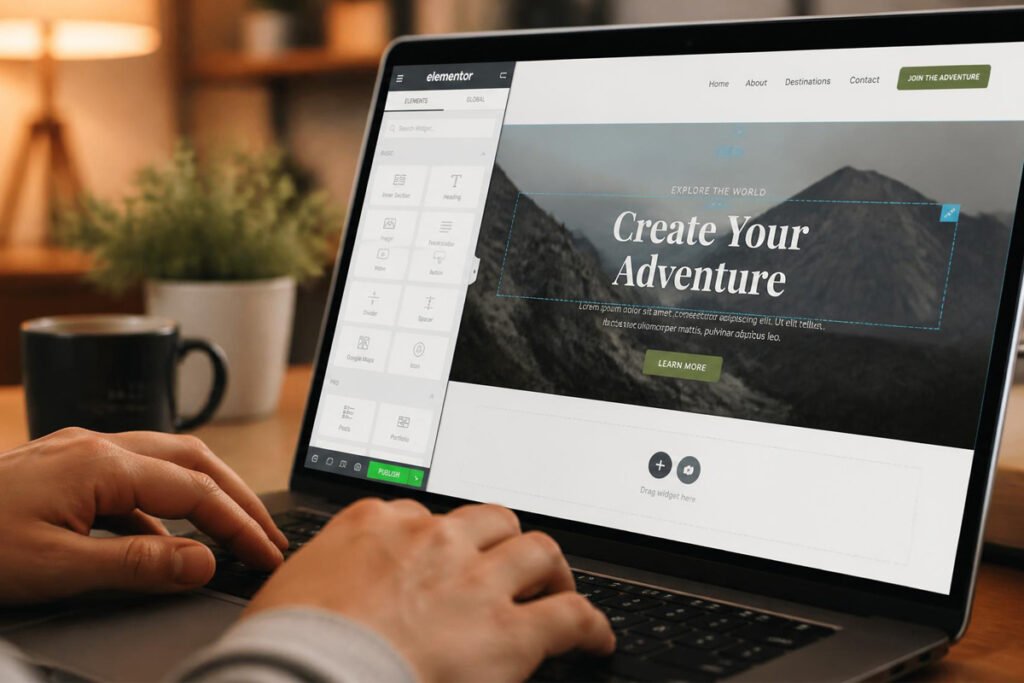
Google’s own guidance on Core Web Vitals makes clear that page speed and stability directly affect both user experience and search rankings — so building it right from the start matters more than fixing it later.
Step 1: Define Your Site’s Primary Goal
Decide whether the site exists to sell, generate leads, or publish content before choosing a template. This single decision should drive every other choice on this list.
Step 2: Choose and Set Up Your Platform
Pick from the builders above based on your business type, register your domain, and connect it to your chosen platform.
Step 3: Build Your Core Pages
Start with a homepage, an about page, a services or products page, and a contact page. Resist the urge to build ten pages before launch — a focused, well-optimized five-page site outperforms a bloated, half-finished twenty-page site.
Step 4: Optimize Before You Publish
Add meta titles, meta descriptions, and image alt text to every page. This is also the right time to make sure your landing pages are built to convert, not just look nice.
Step 5: Test, Launch, and Monitor
Check your site on mobile, test every form and button, and confirm your page speed using a free tool before announcing your launch. Monitor traffic and conversions closely in the first 30 days so you can catch problems early.
Common Mistakes
Choosing a platform based on price alone. The cheapest builder isn’t a bargain if it can’t support your business model — an online store forced onto a blogging-focused platform will cost you more in lost sales than the subscription ever saved. Review your actual digital marketing mistakes checklist before finalizing your platform choice.
Skipping SEO setup at launch. Many small business owners treat SEO as something to “do later.” By then, competitors have already claimed the rankings. Build your on-page SEO checklist into the initial setup, not as an afterthought.
Ignoring page speed and mobile experience. A beautiful site that loads slowly on mobile will lose visitors before they ever see your content. Test speed and mobile responsiveness before launch, not after traffic starts arriving.
Expert Tips
Start with fewer, stronger pages. A focused five-page site with clear calls to action consistently outperforms a sprawling site with thin, unfocused content. Depth beats breadth when you’re just getting started.
Use AI tools to speed up — not replace — your content. Many builders now include AI writing and design assistance. These tools are useful for first drafts and layout ideas, but the businesses that convert best still add real photos, real testimonials, and their own voice on top of AI-assisted starting points.
Plan your internal linking structure early. Even a small site benefits from linking related pages together — service pages to relevant blog content, blog content back to service pages. This mirrors how larger sites build topical authority and helps both users and search engines understand your site’s structure from day one.
Final Thoughts
There’s no universal “best” website builder for small business — only the best fit for what you’re building. Best overall for most small businesses: Wix. Best budget pick: Hostinger Website Builder. Best for online stores: Shopify. Best for design-forward brands: Squarespace. Best long-term SEO foundation: WordPress.
Whichever platform you choose, treat the build itself as only step one. A site with no content strategy behind it, no SEO foundation, and no plan for ongoing updates will plateau quickly no matter how good the initial design looks. If you’d rather have that strategy — and the build — handled for you, our graphics design and development team can help you launch a site built to grow, not just to look good on day one.
Frequently Asked Questions
Do I need coding skills to use a website builder? No. Every platform on this list — including WordPress, once it’s set up — offers a visual editor that doesn’t require writing code. Coding skills open up more customization, but they’re not required to launch a professional-looking site.
How much should a small business expect to spend on a website builder? Most hosted builders range from a few dollars a month on the low end (Hostinger) to $30–50 a month for more feature-rich or ecommerce-focused plans (Shopify). Self-hosted WordPress can be cheaper long-term but requires paying for hosting separately.
Website builder vs. WordPress: which is actually better? Hosted builders like Wix and Squarespace are faster to set up and require less maintenance. WordPress offers more control and a stronger long-term SEO foundation, especially for content-heavy sites, but takes more time to learn and maintain.
Can I switch website builders later without losing my content? Switching is possible but rarely simple. Text and images can usually be exported, but design layouts typically cannot be moved directly between platforms. This is one reason it’s worth choosing carefully upfront rather than planning to switch quickly.
Which website builder is best for SEO? WordPress generally offers the deepest SEO control, thanks to its plugin ecosystem and flexible site architecture. That said, Wix, Squarespace, and Shopify have all significantly improved their built-in SEO tools and can rank well when set up correctly.
Do I need a separate hosting provider? Not with hosted builders like Wix, Squarespace, Shopify, or Hostinger Website Builder — hosting is bundled into your subscription. Only self-hosted WordPress.org requires you to choose and pay for hosting separately.
How long does it take to build a small business website? With a hosted builder and AI-assisted setup, a basic site can go live in a day or two. A more customized site, or one built on WordPress with a developer, typically takes one to four weeks depending on complexity.
Is a free website builder plan good enough to launch with? Free plans are fine for testing an idea, but most come with the platform’s branding, a subdomain instead of your own domain, and limited features. Most small businesses should budget for at least an entry-level paid plan before launch.
What’s the biggest mistake small businesses make when choosing a website builder? Picking a platform based on what’s trendy or what a competitor uses, rather than what actually fits their business model. An ecommerce brand on a blog-focused builder, or a content-heavy business on a rigid store builder, will hit friction quickly.
Should my website builder choice depend on my marketing strategy? Yes. If SEO and content are central to your growth plan, prioritize platforms with strong content and SEO flexibility, like WordPress. If paid ads and conversion-focused landing pages are your main channel, prioritize builders with strong page-building and A/B testing tools instead.
Author: DigiM_Admin Last Updated: September 2026


