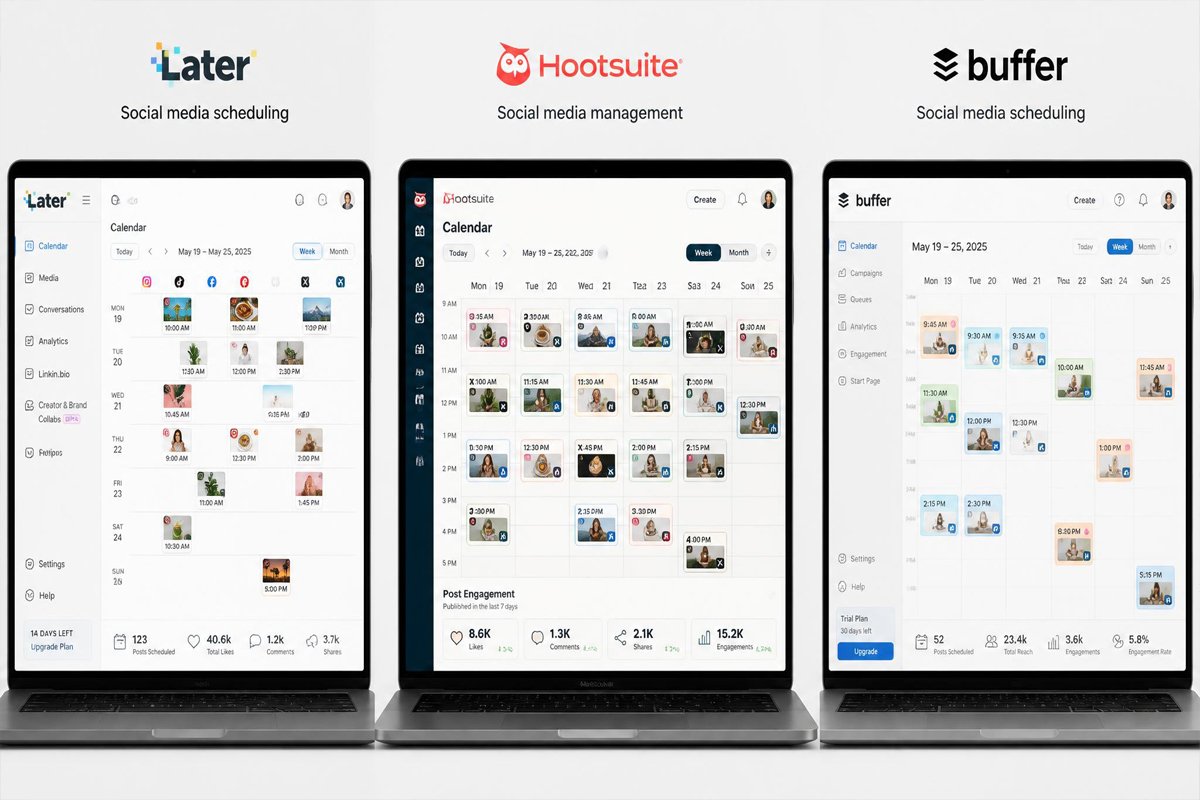
Most small businesses don’t lose social media momentum because they run out of ideas — they lose it because posting five different apps, five different logins, at five different times every day, quietly becomes the first thing that gets skipped when the week gets busy.
A scheduling tool doesn’t replace strategy or voice. What it removes is the repetitive part — the daily scramble to log in and publish — so a week or a month of content gets batched once and then runs on its own. The challenge is that scheduling tools now range from simple queues to full workflow platforms with approvals, analytics, and AI captioning, and picking the wrong tier means either paying for features you’ll never touch or outgrowing a tool in three months. This guide compares five of the strongest options for small businesses, so the choice matches your actual posting volume, not just the platform with the loudest marketing. It builds directly on our guide to social media marketing fundamentals — this is the tooling layer underneath that strategy.
Quick Answer
The best social media scheduling tool depends on team size and posting volume. Buffer is the strongest pick for solo founders and very small teams who want simplicity at a low price. Later suits visually driven brands that plan content around a grid or calendar view first. Hootsuite fits growing teams that need broader platform coverage and AI-assisted captions. Sprout Social is built for agencies and teams managing multiple clients or brands who need deep analytics and reporting. Loomly stands out for teams that need built-in approval workflows without full agency-level complexity. There’s no single best tool — the right one matches how many people touch your content before it goes live.
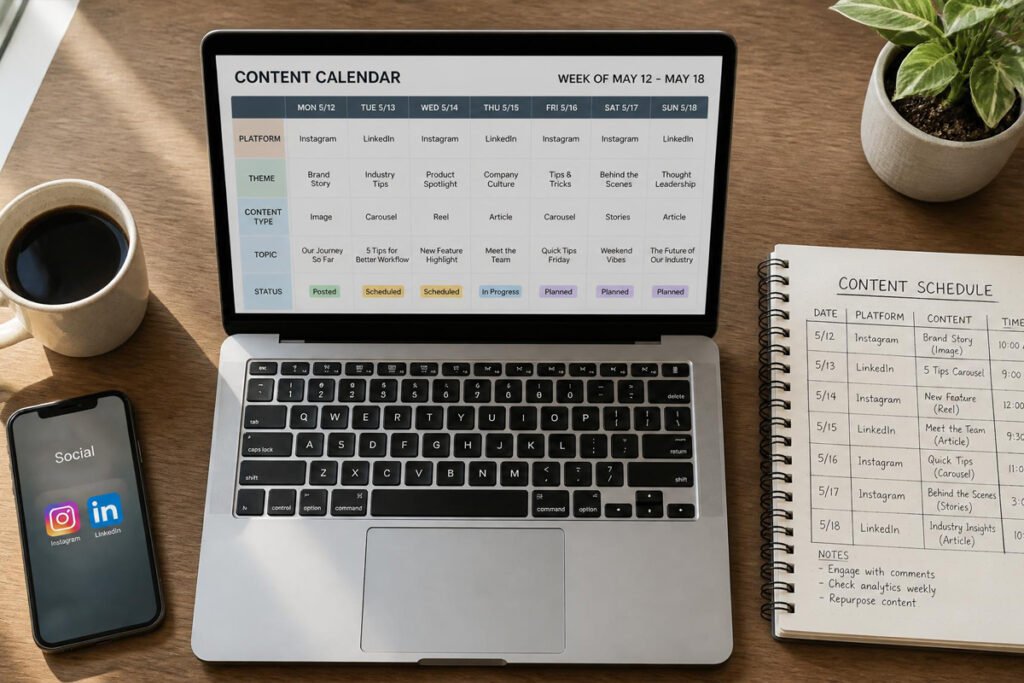
Table of Contents
- What Social Media Scheduling Tools Actually Do
- How to Choose the Right Scheduler
- Best Social Media Scheduling Tools for Small Businesses
- Comparison Table
- Best Tool for Different Business Types
- How to Set Up Your Scheduling Workflow Correctly
- Common Scheduling Mistakes
- Expert Tips
- Final Thoughts
- FAQ
What Social Media Scheduling Tools Actually Do
At their core, these tools let you plan and queue posts across platforms — Instagram, Facebook, LinkedIn, TikTok, X — from a single dashboard, instead of manually publishing to each one throughout the day. Most now go further, adding content calendars, basic analytics, and AI-assisted caption suggestions.
They’re not mandatory for everyone. A business managing a single profile with light posting can often get by with a platform’s native scheduler. Where a dedicated tool earns its cost is consistency at scale — batching a week of content once instead of logging in daily — and that consistency is what actually supports SEO and content marketing efforts, since scattered, inconsistent posting rarely builds the audience those other channels rely on.
How to Choose the Right Scheduler
Before comparing feature lists, answer three questions:
- How many people touch content before it’s published? A solo founder needs a simple queue. A team with a manager approving posts needs built-in approval workflows.
- How many platforms and accounts are you actually managing? Pricing on most tools scales with connected accounts, so confirm the tier you’ll need, not just the entry price.
- Do you need deep analytics, or just reliable posting? According to Capterra’s research on small business software choices, ease of use and value for money consistently outrank raw feature count for smaller teams — the most feature-dense tool isn’t automatically the best fit.

Best Social Media Scheduling Tools for Small Businesses
1. Buffer
Overview: Buffer has built its reputation on staying simple and affordable while competitors have raised prices and added complexity. It covers planning, scheduling, basic analytics, and an AI writing assistant, with a genuinely usable free plan.
Key Features:
- Free plan plus low-cost paid tiers, even as competitors have raised prices
- Clean, straightforward scheduling calendar
- Built-in AI assistant for caption drafting
- Link-in-bio page builder included
Best For: Solo founders and very small teams who want simplicity without a steep learning curve.
Pros: ✅ Lowest cost for the feature set ✅ Very easy to learn ✅ Free plan is genuinely usable Cons: ❌ Lighter analytics than agency-focused tools ❌ Fewer collaboration features for larger teams
Our Verdict: The default starting point for most small businesses, especially those just building the content creation habit in the first place.
2. Later
Overview: Later grew out of Instagram scheduling and still leans into a visual-first planning experience — a drag-and-drop grid preview that shows how posts will actually look before they go live.
Key Features:
- Visual content calendar with grid preview
- Strong Instagram and TikTok-specific planning tools
- Built-in hashtag suggestions and best-time-to-post recommendations
- Media library for organizing recurring visual assets
Best For: Visually driven brands — retail, hospitality, lifestyle — that plan around how a feed looks as a whole.
Pros: ✅ Best visual planning experience in this list ✅ Strong for Instagram-heavy brands ✅ Intuitive drag-and-drop interface Cons: ❌ Less robust for text-heavy platforms like LinkedIn or X ❌ Advanced features gated behind higher tiers
Our Verdict: Worth prioritizing if your brand lives or dies on how the feed looks as a whole, not just individual post performance.
3. Hootsuite
Overview: Hootsuite remains one of the broadest platforms in this space, covering more networks and integrations than most competitors, with AI-assisted caption writing built into the workflow.
Key Features:
- Broad platform and integration coverage
- AI-powered caption suggestions
- Bulk scheduling for high-volume posting
- Unified inbox for monitoring engagement across accounts
Best For: Growing small businesses that have outgrown a single-platform focus and need broader coverage.
Pros: ✅ Widest platform support ✅ Strong for bulk scheduling ✅ Useful AI caption assistance Cons: ❌ Pricing has risen significantly compared to years past ❌ No longer offers a meaningful free plan
Our Verdict: A reasonable step up once Buffer or Later’s simpler feature sets start feeling limiting — just budget for the higher cost.
4. Sprout Social
Overview: Sprout Social is built for teams managing more complexity — multiple clients, multiple brands, or a team large enough to need real reporting, not just a posting queue.
Key Features:
- In-depth analytics and custom reporting
- Strong collaboration and approval workflows
- Social listening features beyond basic scheduling
- Built for managing multiple accounts or client brands at once
Best For: Agencies, or small businesses with a dedicated marketing team managing several brands or clients.
Pros: ✅ Deepest analytics and reporting of the group ✅ Strong for teams, not just solo use ✅ Reliable for multi-client management Cons: ❌ Highest cost in this list ❌ More depth than most single-brand small businesses need
Our Verdict: Overkill for a single small business managing its own accounts — but the right tool if you’re running social for multiple brands, similar to how our paid media work often spans multiple client accounts.
5. Loomly
Overview: Loomly sits between simple schedulers and full agency platforms, with a particular strength in built-in approval workflows for teams where someone other than the poster needs to sign off first.
Key Features:
- Built-in content approval workflows
- Post ideas and content suggestions to reduce planning time
- Straightforward calendar view with clear status tracking
- Affordable pricing relative to its collaboration features
Best For: Small teams where a manager or client needs to approve posts before they go live.
Pros: ✅ Genuinely useful approval workflow ✅ Affordable for the collaboration features included ✅ Easy for non-technical teams to adopt Cons: ❌ Less advanced analytics than Sprout Social ❌ Fewer platform integrations than Hootsuite
Our Verdict: Worth shortlisting specifically if content approval, not just scheduling, is the actual bottleneck in your current workflow.
Comparison Table
| Tool | Best For | Free Plan | Analytics Depth | Learning Curve |
|---|---|---|---|---|
| Buffer | Solo founders, very small teams | Yes | Basic | Easy |
| Later | Visual-first brands (Instagram/TikTok) | Yes, limited | Basic–Moderate | Easy |
| Hootsuite | Growing teams needing broad coverage | No | Moderate | Moderate |
| Sprout Social | Agencies, multi-brand management | No | Advanced | Moderate–Steep |
| Loomly | Teams needing approval workflows | No (trial only) | Moderate | Easy–Moderate |
Best Scheduling Tool for Different Business Types

Solo Founders & Very Small Teams
Start with Buffer’s free plan. The goal at this stage is building a consistent posting habit, not optimizing analytics — that comes later, once there’s enough content history to actually learn from.
Visually Driven Local Businesses
Retail shops, restaurants, salons, and similar visual brands tend to get the most out of Later, since planning around how the grid looks reinforces the same first-impression trust that local SEO and Google Business Profile visibility are already building.
Agencies & Multi-Brand Teams
Sprout Social’s reporting and multi-account management make the most sense here — the cost is justified by managing several clients’ social presence at once, not a single brand’s feed.
How to Set Up Your Scheduling Workflow Correctly
Step 1: Audit Your Current Posting Habits First
Before choosing a tool, track how often you’re actually posting today and where the process breaks down — inconsistent scheduling, no approval step, no repurposing. The tool should fix a real bottleneck, not just add a new subscription.
Step 2: Batch Content in Weekly or Monthly Blocks
Set aside one session to plan and schedule a full week (or month) at once, rather than posting reactively each day. This is the core time-saving benefit — treat it as a recurring calendar block, not an occasional catch-up task.
Step 3: Build a Simple Approval Step, Even Solo
Even a one-person team benefits from a short pause between drafting and publishing — catching a typo or an off-brand tone before it goes live matters more than posting speed.
Step 4: Repurpose, Don’t Duplicate
Adapt one core piece of content per week into platform-specific versions rather than creating five entirely separate posts. This is the same repurposing principle behind content marketing efficiency more broadly.
Step 5: Review Analytics Monthly, Not Daily
Check what’s actually driving engagement once a month, and adjust the content mix accordingly. Checking daily numbers usually just adds noise without changing decisions.
Common Social Media Scheduling Mistakes
Scheduling everything and never checking in. A fully automated queue with no one reviewing engagement or replying to comments quietly turns a brand’s social presence into a broadcast channel — which undercuts the entire point of “social” media.
Choosing a tool based on features you’ll never use. Paying for agency-grade analytics and multi-client reporting as a single small business is the same mismatch covered in our digital marketing mistakes roundup — buy for your actual workflow, not an aspirational one.
Posting the same content identically across every platform. What works as a LinkedIn post rarely works unchanged as a TikTok caption. Light platform-specific editing, even just adjusting tone and length, meaningfully improves results.

Expert Tips
Treat the scheduler as a calendar, not a content generator. AI captioning tools save time on drafts, but posts that sound genuinely like your brand’s voice consistently outperform generic AI-polished copy.
Leave room for real-time posts. Scheduling tools handle planned content well, but breaking news, live events, or timely replies still need a human posting in the moment — don’t schedule away all spontaneity.
Connect scheduling to what’s already converting. Whatever content is performing best in your content marketing efforts is usually worth repurposing into scheduled social posts first, rather than starting social content from scratch.
Final Thoughts
Best overall for most small businesses: Buffer, for its simplicity and low cost. Best for visual brands: Later, for its grid-first planning. Best for growing teams: Hootsuite, once broader platform coverage matters. Best for agencies: Sprout Social, for its depth of reporting. Best for approval workflows: Loomly, when a second set of eyes needs to sign off before publishing.
Whichever tool you choose, scheduling only pays off when it’s connected to a real content and lead-generation system. If that’s still the missing piece, our guides on social media marketing strategy and content marketing are good next steps — and once leads start coming in consistently, pairing scheduling with a CRM and email marketing platform closes the loop.
Frequently Asked Questions
Do small businesses really need a scheduling tool, or is native posting enough? Native, in-app scheduling can be enough for a single platform posted a few times a week. A dedicated tool earns its cost once you’re managing multiple platforms or want consistency without daily manual logins.
How much do these tools typically cost? Entry-level paid plans generally start under $15–20/month for small teams, with agency-tier platforms like Sprout Social running significantly higher based on account volume and features.
Which tool is easiest for a complete beginner? Buffer and Later are generally considered the easiest to learn quickly, with minimal setup before you’re scheduling your first posts.
Can I manage all my social platforms from one tool? Most tools in this list cover the major platforms — Instagram, Facebook, LinkedIn, X, TikTok — though exact platform support and posting capabilities vary by tier, so confirm your specific platforms are fully supported before committing.
Do these tools replace the need for a social media strategy? No — scheduling handles execution, not strategy. Decisions about what to post and why still need to come from a real social media marketing plan.
Is AI-generated captioning actually good, or does it need heavy editing? It’s a solid starting draft, not a finished product. Most brands get the best results using AI suggestions as a first pass, then editing for genuine brand voice.
How far in advance should I schedule content? A week to a month works well for most small businesses — far enough ahead to batch efficiently, not so far that content feels outdated or disconnected from current events.
What’s the difference between a scheduling tool and a full social media management platform? Scheduling tools focus on planning and publishing. Full management platforms (like Sprout Social) add deeper analytics, social listening, and team collaboration on top of scheduling.
What’s the biggest reason small businesses stop using their scheduling tool? Usually an inconsistent content pipeline, not the tool itself — a scheduler can’t fix a lack of content to schedule in the first place.
Author: DIGI MONETIZE Team Last Updated: August 2026